Production Suite · macOS, Windows & Linux

Local. Private. Yours.

Fuze is a local production suite for macOS, Windows and Linux, designed to help you manage creative projects, particularly those built with AI. No local GPU needed, access the most advanced generative models using your own API keys, while all your files and assets stay on your drive. Built by VFX and animation professionals with over 20 years of experience in film and advertising.

Start free today

From first idea to final cut.

Everything in one place.
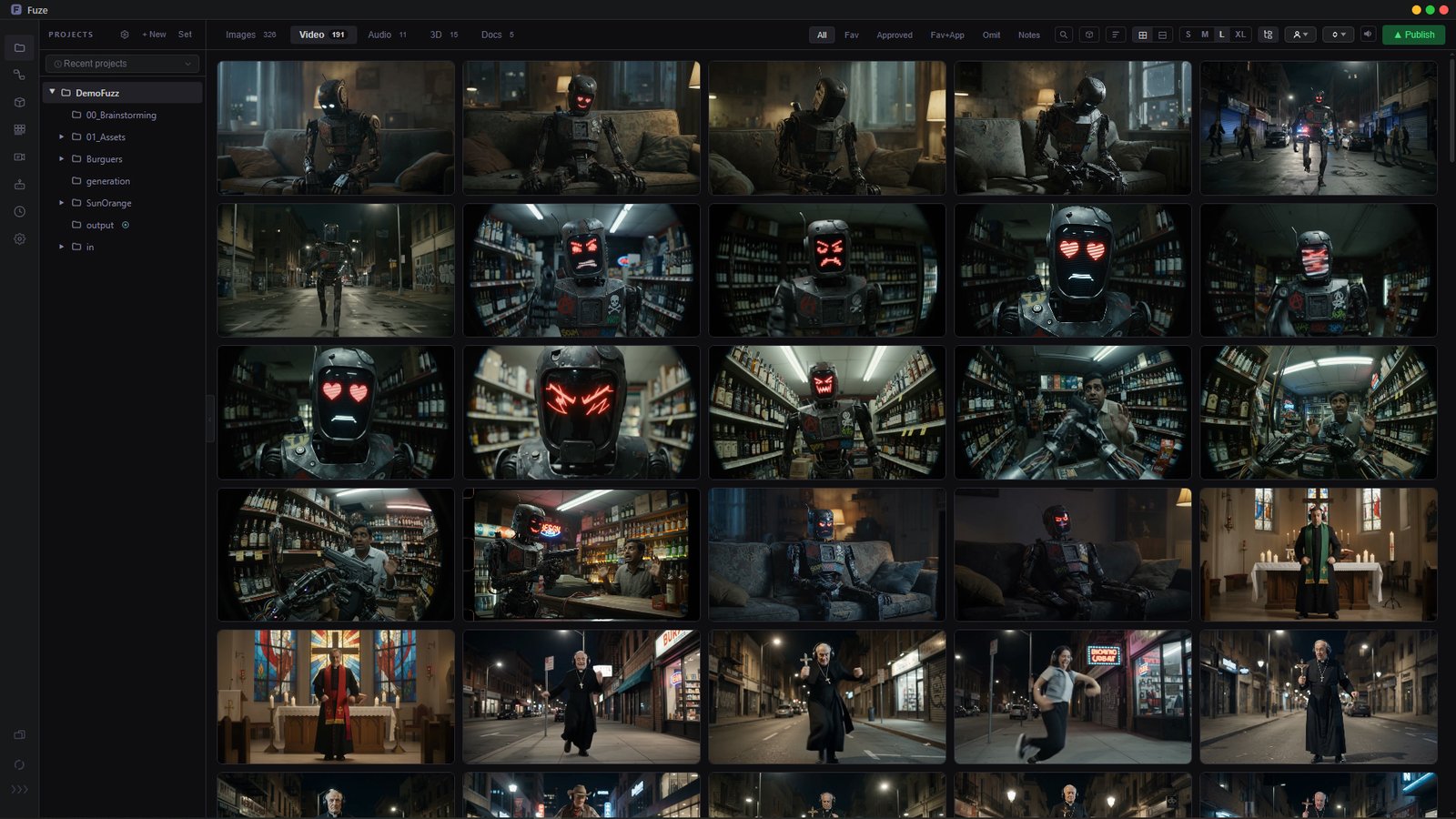
Manager in Fuze

Manager

Project-based organisation for images, video, audio and 3D. Drag and drop, annotations, favourites. All local, all yours.
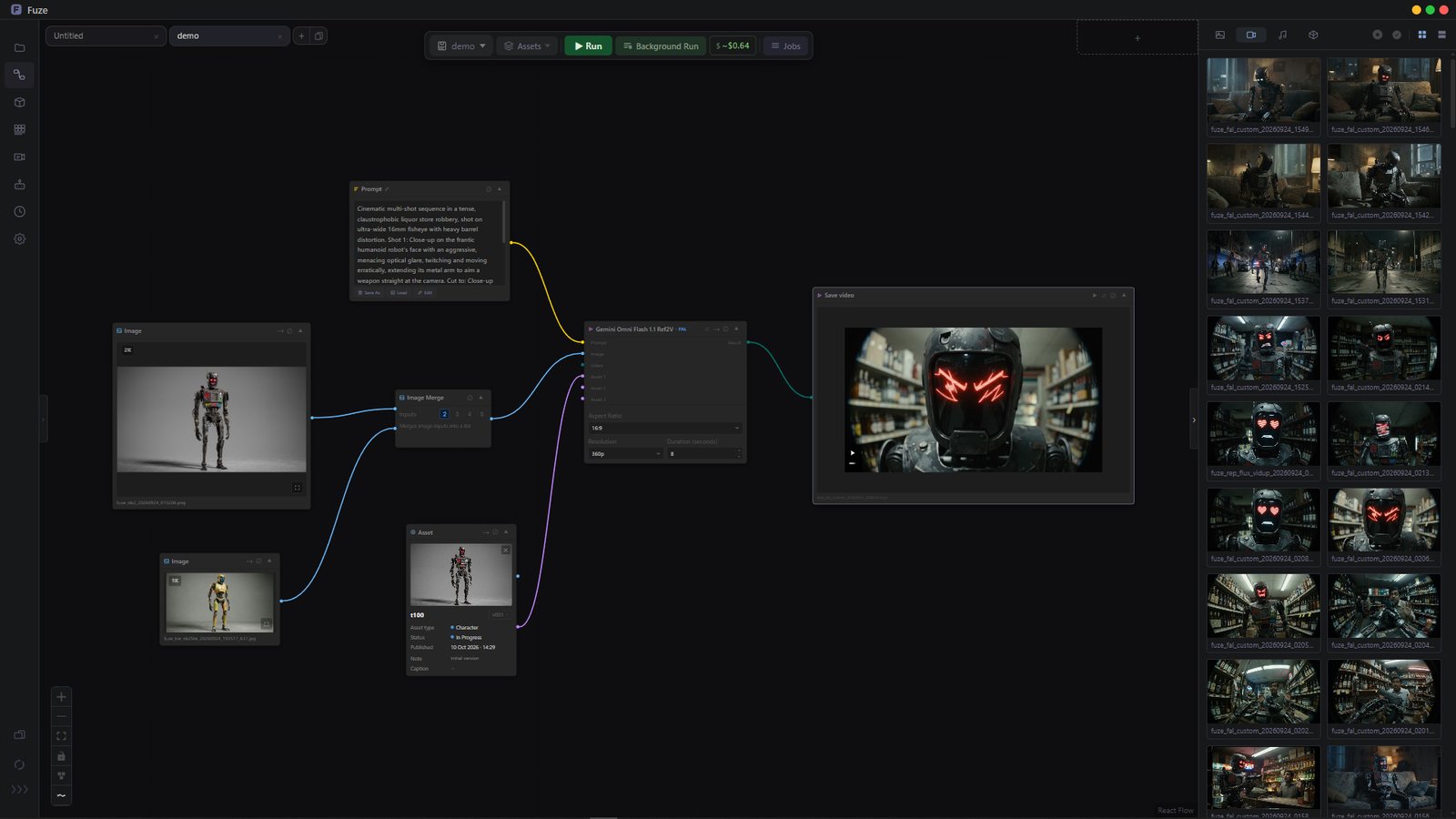
Flow in Fuze

Flow

Node-based AI generation via your own API keys. You connect directly to the provider. Fuze is not in the middle.
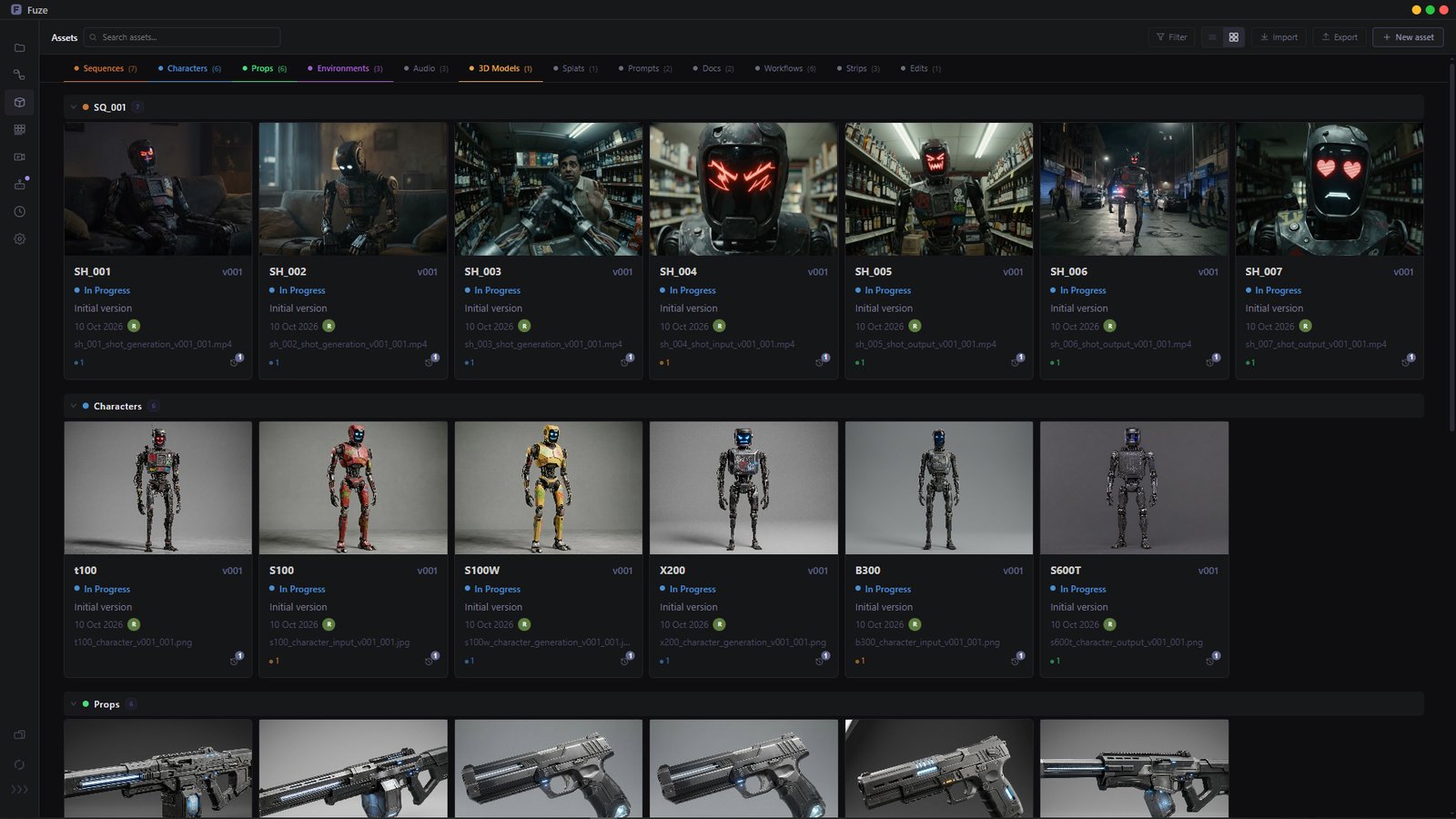
Assets in Fuze

Assets

Asset management system inspired by VFX pipelines. Each asset has its own stages and states and can be connected to generation models to maintain consistency across generations.
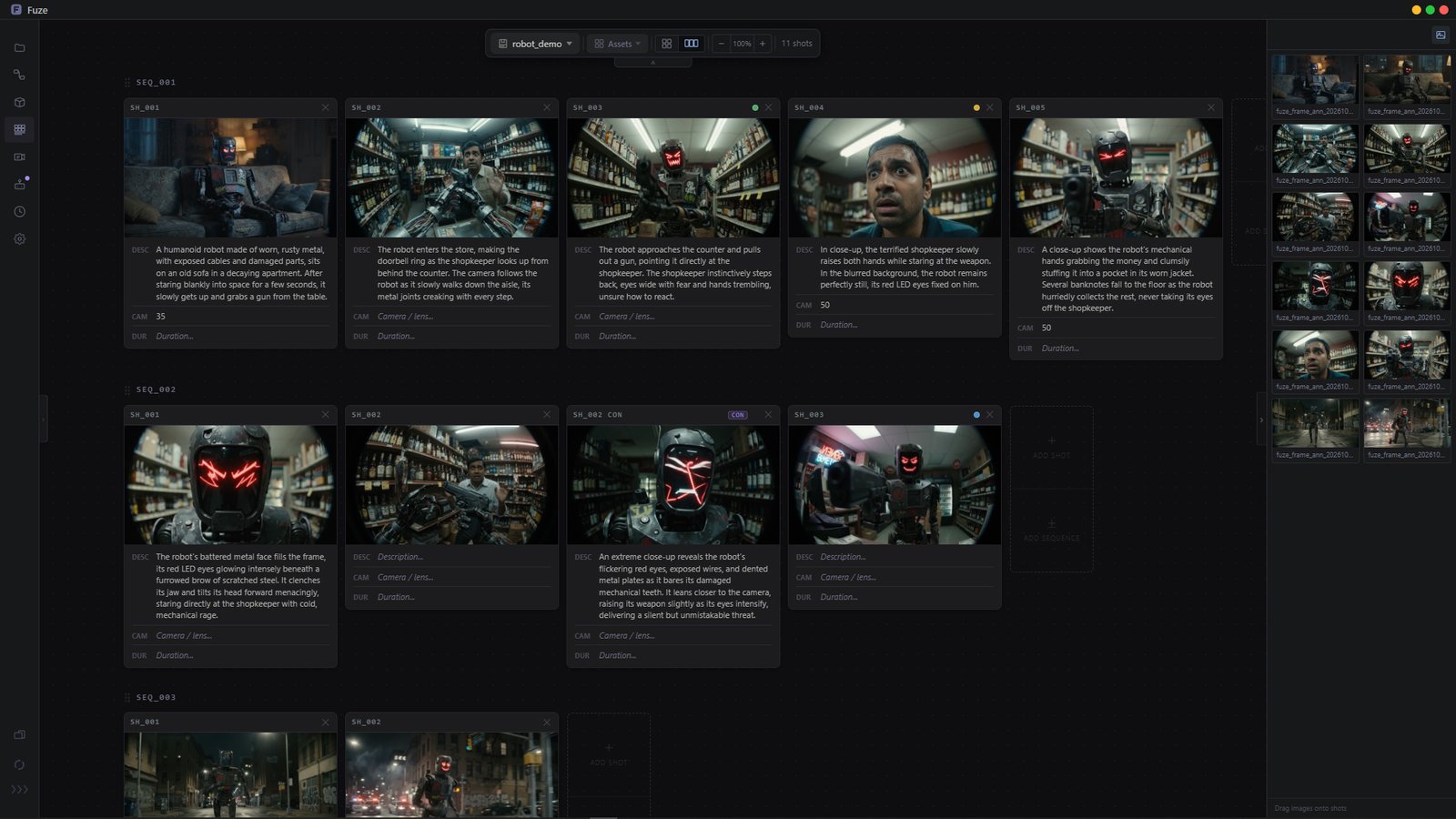
Strip in Fuze

Strip

Storyboard editor built into your project. Shots, descriptions, camera notes. Right where your material lives.
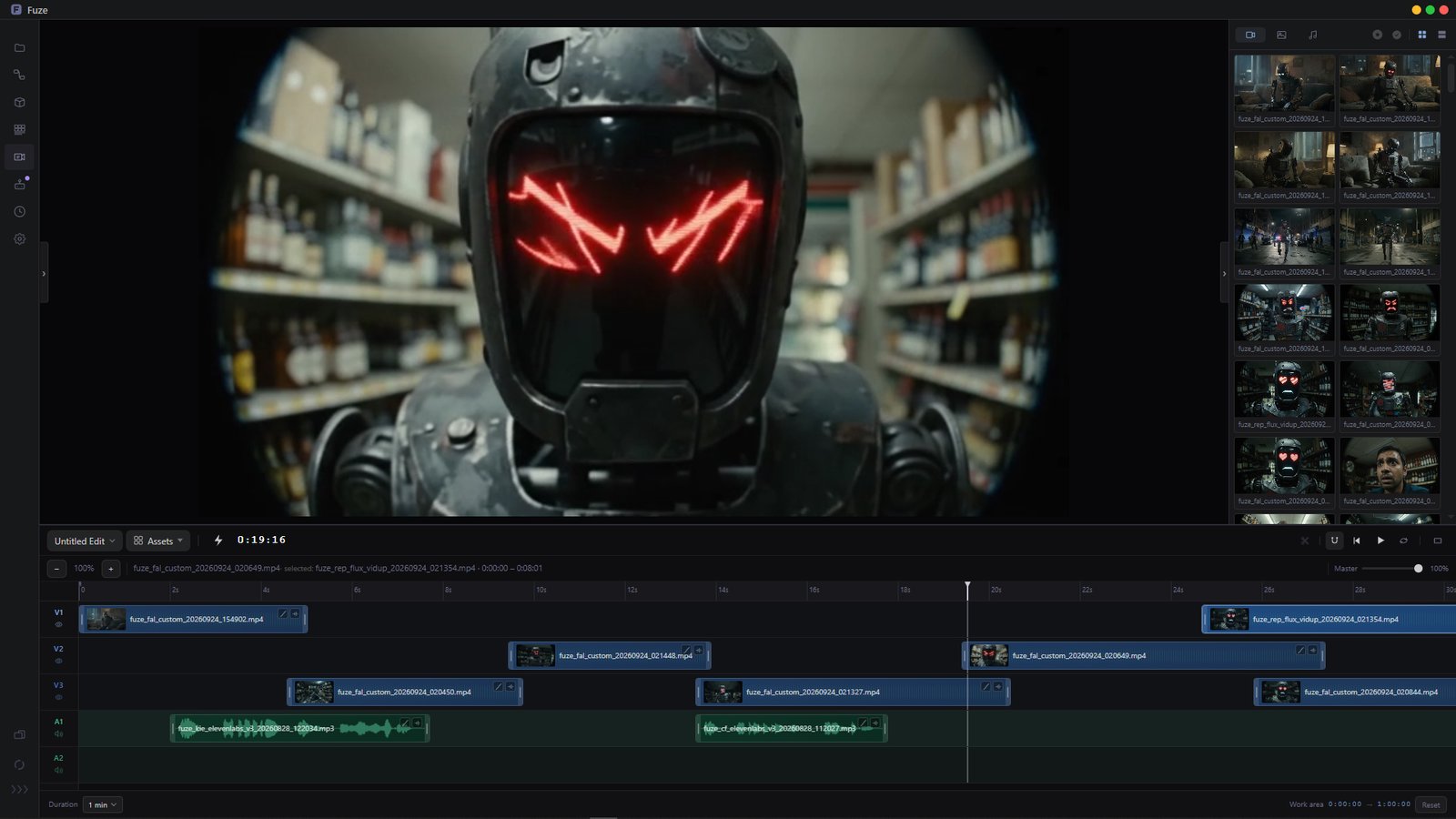
Editorial in Fuze

Editorial

Multi-track timeline to assemble your selects. Export to MP4, MOV, DaVinci Resolve or Premiere when you're done.
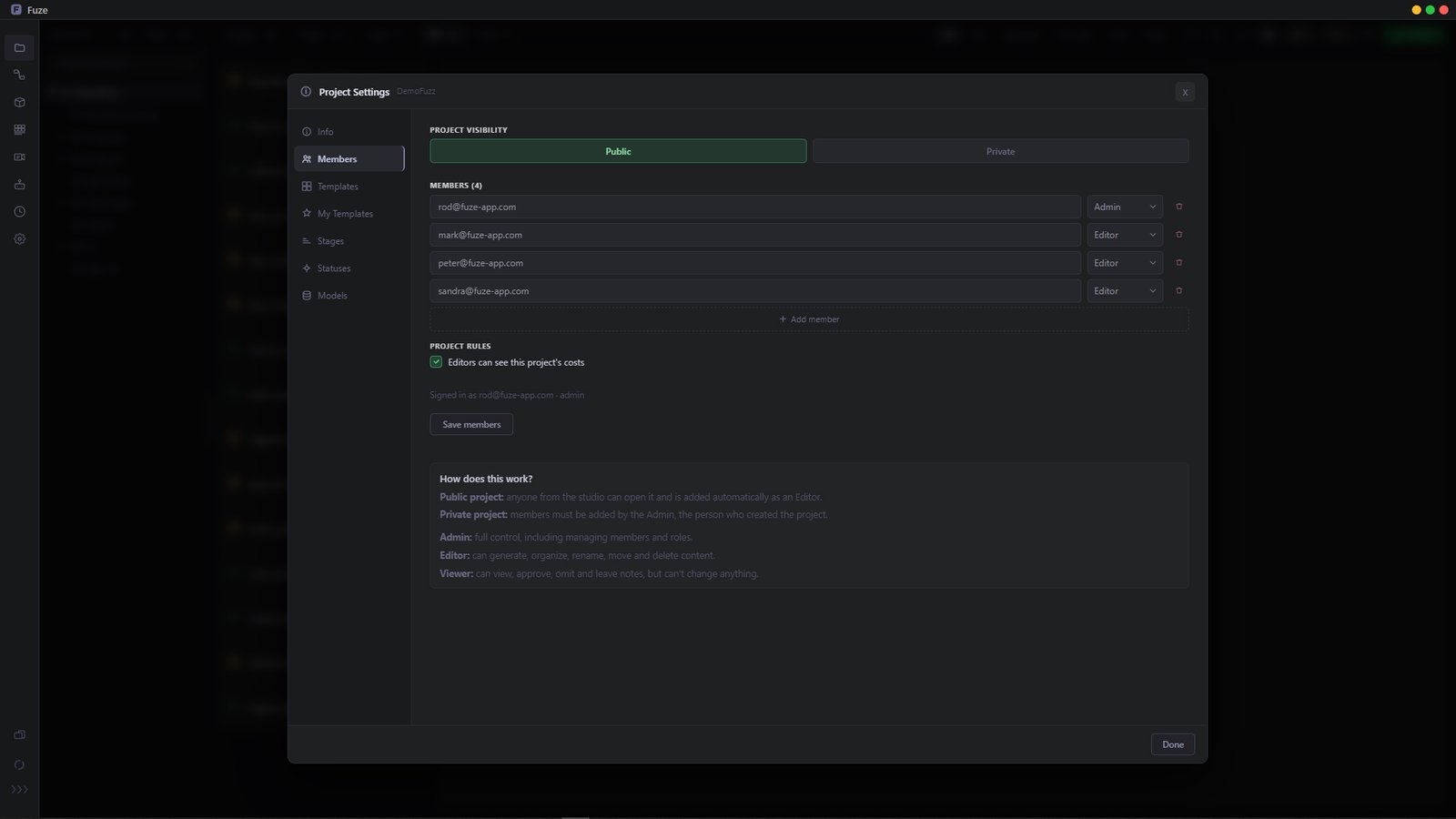
Project Settings in Fuze

Project Settings

Set up every project for your team. Define stages and production statuses, choose which models can and can't be used, and make a project public or private. Start new ones in seconds with custom templates for your folder tree, stages and statuses.

For studios
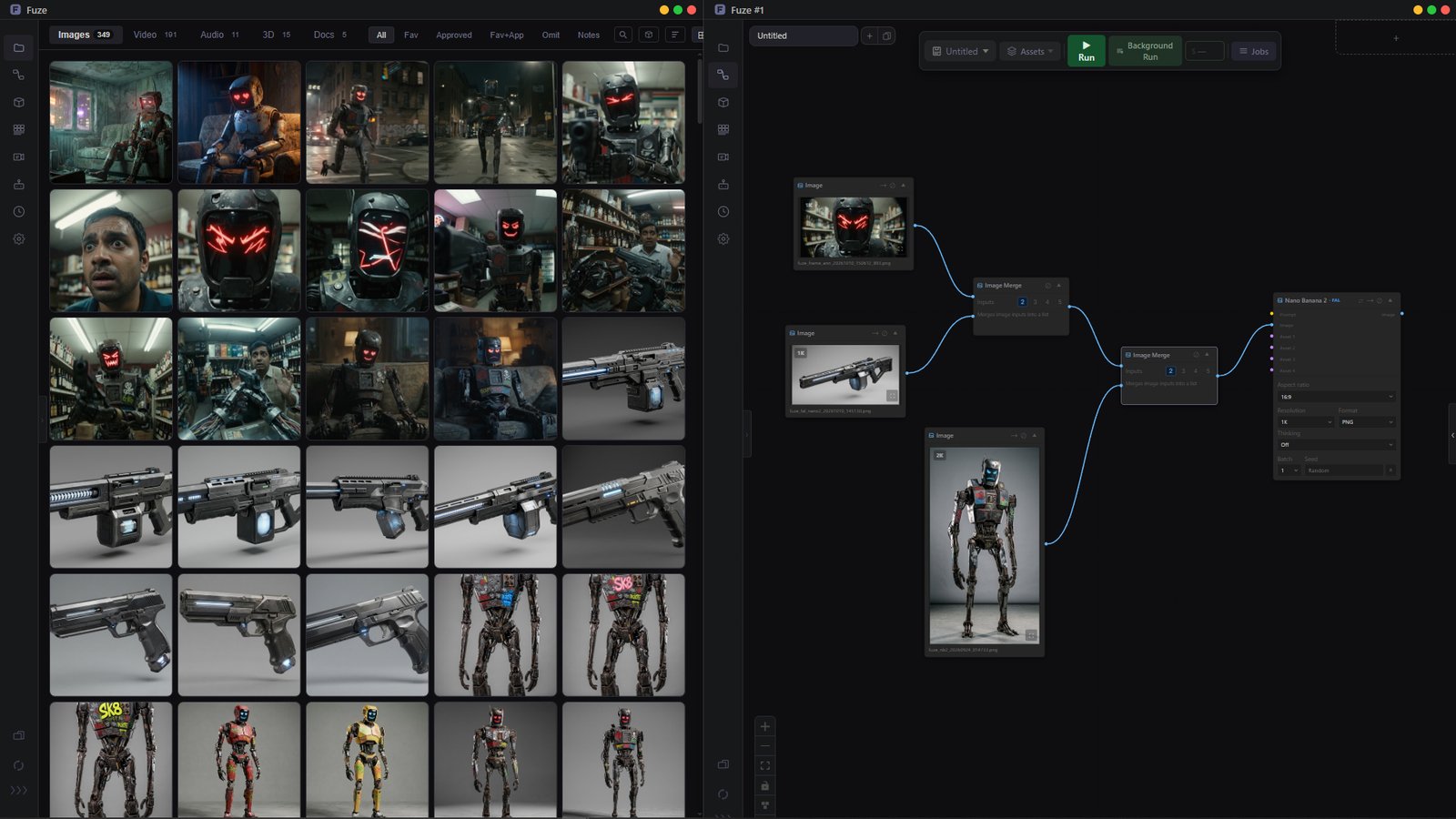
Advanced options in Fuze

Advanced options

Link two Fuze windows so they stay in sync, ideal for multiple monitors: Manager on one screen, Flow on the other. Drag and drop to import into Fuze, or out to your desktop and apps like DaVinci Resolve, Photoshop or Maya. Drag an asset into Photoshop, edit it, and when you save it updates in Fuze.
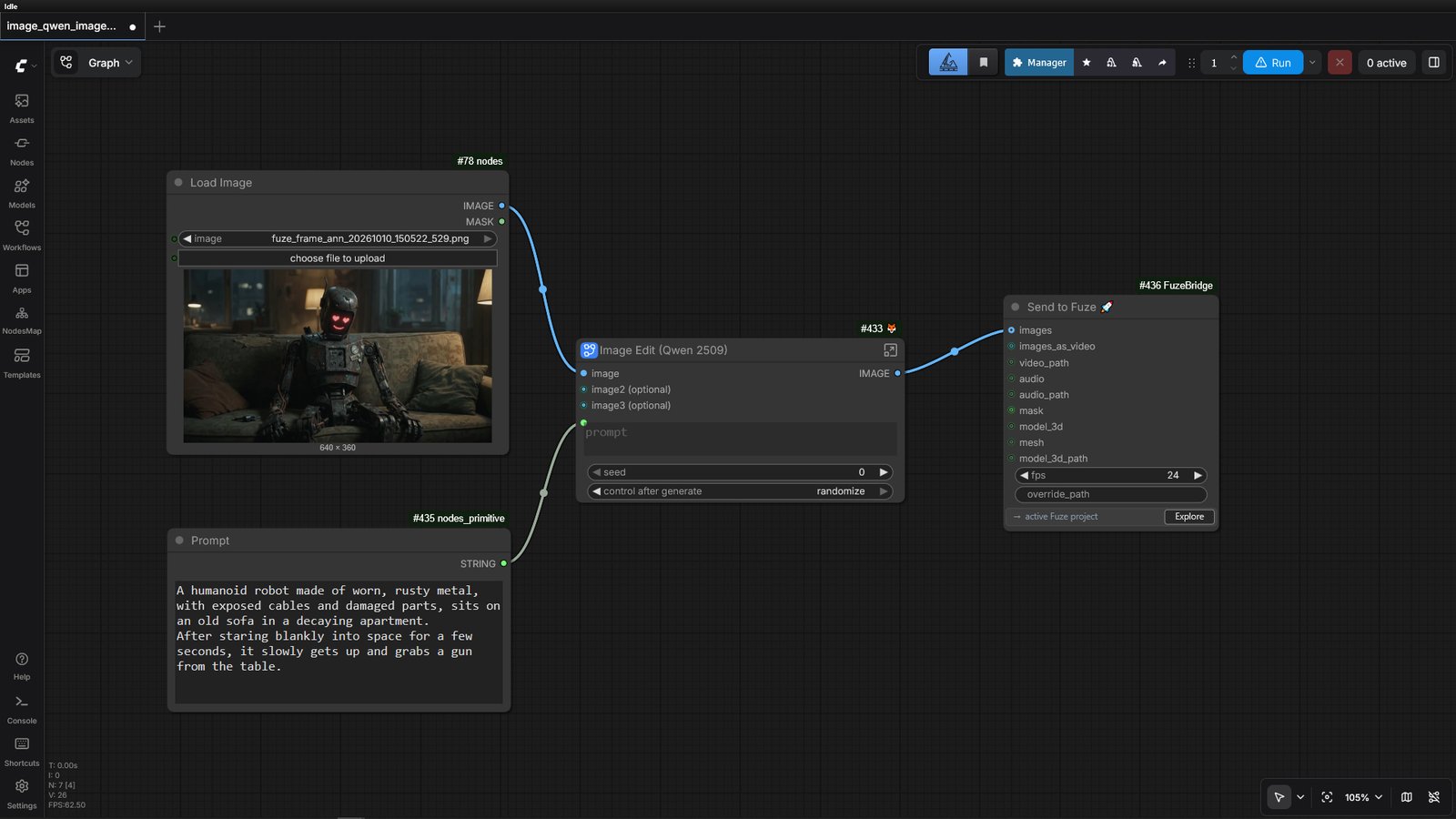
FuzeBridge in Fuze

FuzeBridge

Custom ComfyUI nodes that send generations straight into your project. Nothing leaves your network if you work fully local.
Assistant in Fuze

Assistant

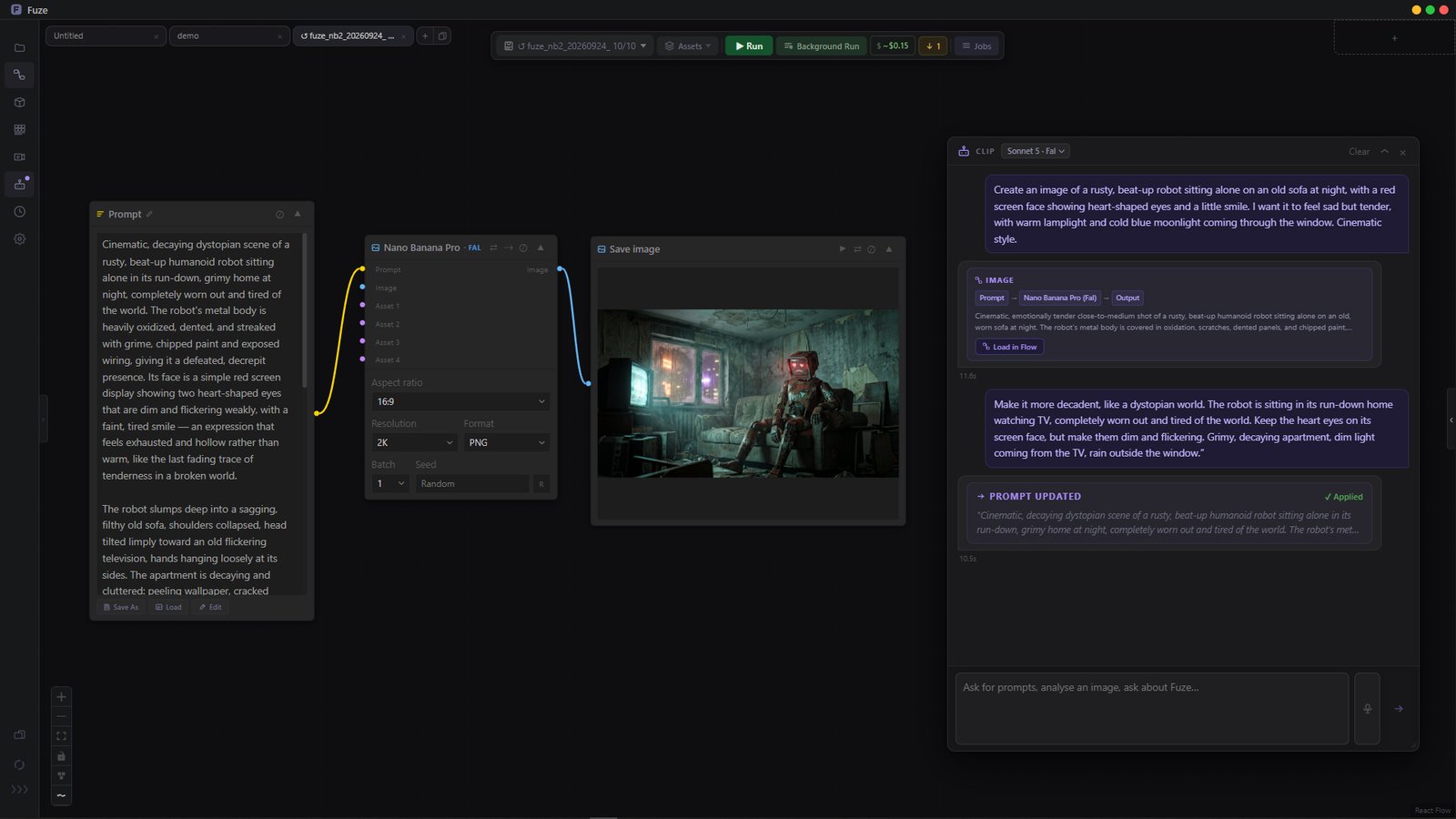
An AI assistant that knows your project. Helps you write prompts, build Flow workflows, review scripts, all without leaving Fuze.

Built in
Costs in Fuze

Costs

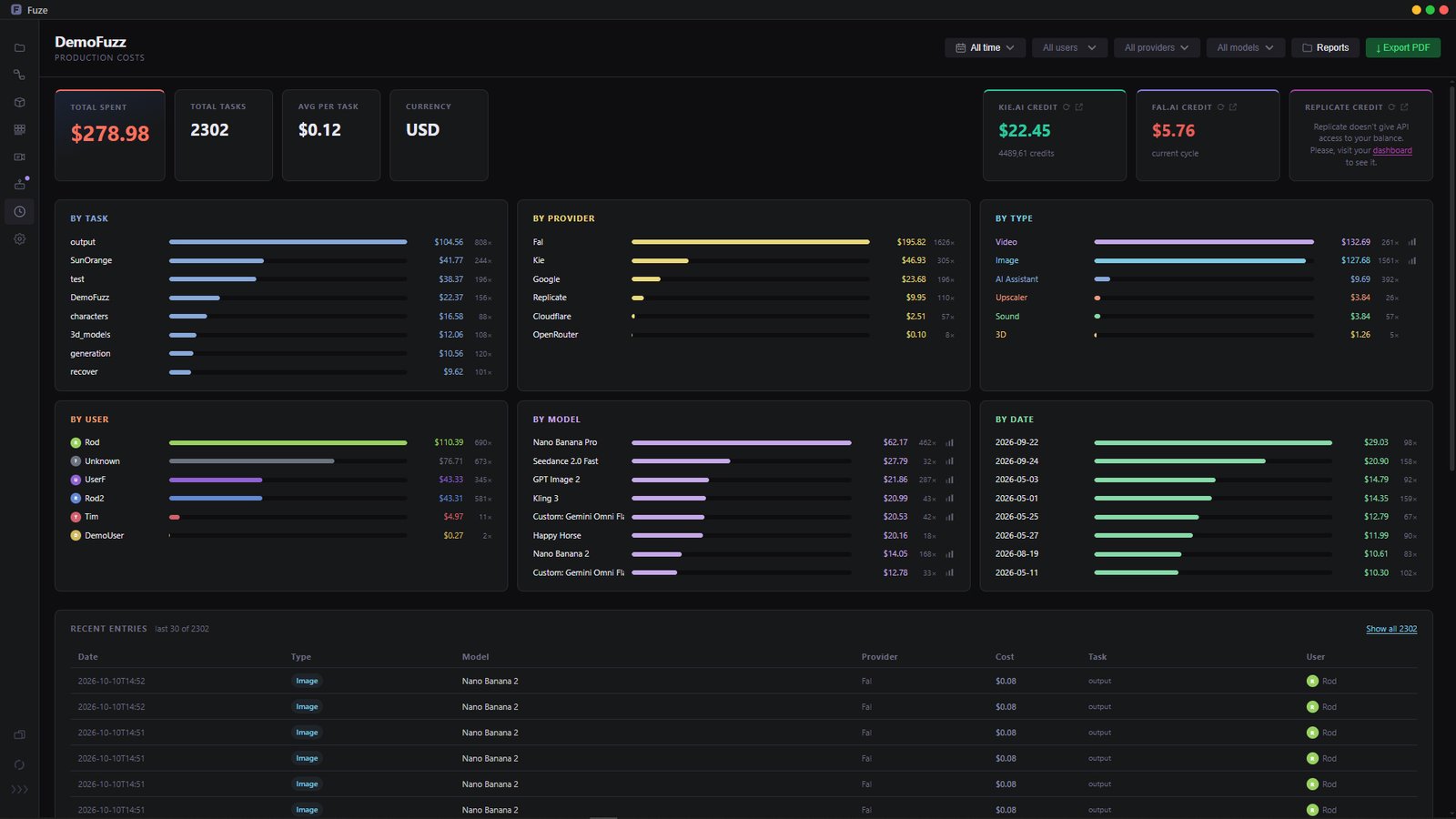
Know exactly what every generation costs. Track spending by project or by artist, with real per-model pricing. No confusing credits, no surprises at the end of the month.


The people behind Fuze.

Rodri Torres

Rodrigo Torres

Founder

20 years in the VFX and animation industry, working at major studios such as Sony Pictures Imageworks, The Mill, and Passion Pictures, among others, and contributing to projects for clients like Netflix, Nike, Coca-Cola among many more. Started Fuze out of frustration with the tools he was using on his own productions.

IMDb ›
Francesco Campobasso

Francesco Campobasso

Industry Feedback & Testing

25 years in VFX and animation, today working mainly as a CG Supervisor and Animation Director. Has contributed to Goya award winning productions and recent work like Marvel's Ironheart. Giving feedback on Fuze from 25 years of production experience.

IMDb ›
Abel Cabrerizo

Abel Cabrerizo

External Consultant, AI & Market Strategy

Years spent researching AI workflows and applications, plus a background in 3D art and animation direction, help him spot usability issues and think through how Fuze can find its place in the market.

Same Fuze. Different way of working.

Start free with Manager, Flow, Assets and Editorial. Indie adds the rest of the toolset for working alone, including Strip, the Assistant and more providers. Studio adds what a team needs to stay in sync: identity, publishing, cost tracking, and more.

Monthly Annual Save 2 months
Starter

Free

For getting started.

€0 forever

No credit card · 1 machine.

The core of Fuze, at no cost. Try the workflow with your own Fal.ai key.

What's included
  • Manager, Flow, Assets and Editorial
  • Generate with Fal.ai, using your own API key
  • Asset Registry for props, characters, shots and more
  • Multi-track timeline, export to MP4 and MOV
  • Image Editor, Doc Editor and Prompt Manager
  • FuzeBridge for ComfyUI

Need Kie.ai, Replicate, Strip or the Assistant? Pick Indie any time.

Solo

Indie

For working alone.

€19 / month

2 months free, billed as €190/year

30-day free trial · cancel anytime.

Get Indie

Everything to go from an idea to a finished piece, on your own. If it's just you, this is all you need.

What's included
  • Manager, Flow, Assets, Strip, Editorial, and the AI Assistant, in full
  • Generate with Fal.ai, Kie.ai and Replicate
  • Build and reuse your own asset library
  • Export storyboards, cuts and docs whenever you need them
  • Drag work straight out to Photoshop, DaVinci, Maya, and more

No seats, no team features you'll never open. Just the tools.

Team

Studio

For working with other people.

€39 / month

2 months free, billed as €390/year

30-day free trial · cancel anytime.

Get Studio

Everything in Indie, plus the tools a team needs to stay in control. Who's publishing what, who's touching each asset, and where the budget is going.

Studio adds
  • Identity: know who generated, edited or published each asset
  • Production templates, pipeline stages and status tracking
  • Full cost breakdown by person and provider, exportable as a report
  • Publish prompts, workflows, storyboards and cuts for your team to reuse
  • Generate with Fal, Kie, Replicate, Magnific, Cloudflare and Google Cloud
  • Google Cloud and Cloudflare, with your studio's storage buckets connected
  • Slack notifications for the whole team

Want to see it running first, or need something custom for a bigger team? Book a demo.

Common questions.

Fuze is a local production suite for macOS, Windows and Linux designed to help you manage creative projects, particularly those built with AI. It was developed by professionals with over 20 years of experience in the VFX and animation industry, with an extensive background across film and advertising.

Because Fuze runs locally, all your content lives on your hard drive or your network. Nothing is stored online unless you actively configure it that way.* You own everything you create, with no dependency on any third party.

To generate content, Fuze connects to your own API keys, so you can generate with whichever provider fits your project: Fal.ai on every plan, Kie.ai and Replicate on Indie and Studio, plus Magnific, Google Cloud and Cloudflare Workers AI on Studio. Using your own API means lower costs from day one, without the inflated pricing of credit-based platforms.

*Generation providers may briefly retain outputs on their own servers as part of normal processing. Check each provider's current retention policy directly if this matters for your work.

Fuze is available directly: start with the free version, or pick Indie or Studio on the pricing page and start a 30-day free trial, cancel any time. If you're a studio and want to see it running first, or need something custom for a bigger team, you can also book a demo.

No. Fuze is not a platform that sells you credits. Fuze is a project manager and generation environment that connects to your own API keys from providers like Fal.ai, Kie.ai, Replicate, Magnific, Google Cloud or Cloudflare. To generate content you will need an API key from a supported provider and credit with that provider.

Because generation runs on the provider's infrastructure, you don't need a powerful GPU or a high-end machine to use Fuze. These providers give you access to the latest models on the market, like Nano Banana Pro, Seedance 2.5, Kling 3, LTX, Seedream and many others.

It depends on your plan. Each plan includes every provider from the one before it:

  • Free: Fal.ai
  • Indie: Fal.ai, Kie.ai and Replicate
  • Studio: Fal.ai, Kie.ai, Replicate, Magnific, Cloudflare and Google Cloud

Fuze does not include every model from every provider, which could mean hundreds of them. Instead it comes with a selection of the best and most widely used models, covering the needs of most projects.

If you need a model that isn't included, Indie and Studio come with "Custom Nodes", which let you add any model from a supported provider yourself. You are never limited to what ships with Fuze.

In every case you use your own API key, so you pay the provider directly. You can compare the plans in the pricing section.

Fuze installs like any other desktop application. On macOS, open the signed .dmg and drag Fuze into your Applications folder. On Windows, run the signed installer; Windows may show a SmartScreen warning, in which case click "More info" and then "Run anyway". On Linux, download the AppImage, make it executable and double-click it. Step by step instructions for each system are on the Download page.

An API key is a credential given to you by a generation provider like Fal.ai, Kie.ai, Replicate, Magnific, Google Cloud or Cloudflare. It identifies you as a client, so when Fuze generates an image or video, the provider knows who made the request and bills your account directly.

This is actually an advantage. Using Fuze with your own API keys is significantly cheaper than platforms that sell credits on top of provider costs. In most cases you will spend 20% less or more compared to credit-based platforms, and you only pay for what you actually generate.

There are two moments where a small amount of data leaves your machine, and Fuze itself is never in the middle of either.

To manage your license, we store the minimum needed: your name and email. Payments and subscriptions are handled entirely by Stripe, we never see or store your card details. Beyond that name and email, the Fuze team has no way to access your projects, your files or anything you generate, all of it stays on your machine and under your control.

When you generate content, such as images, video, audio or 3D, your prompt and any reference files go straight from your machine to the provider you've configured (Fal.ai, Kie.ai, Replicate, Magnific, Google Cloud or Cloudflare), using your own API key. That exchange is between you and the provider, not Fuze. Some providers may keep their own logs of what you generate as part of their normal operation, check their retention policy directly if that matters for your work.

If you have an active subscription, you can manage or cancel it from your customer portal. You just need the email you used when you subscribed. For team licenses set up through a demo or pilot, write to us directly and we'll handle it with you.

New subscriptions include a free trial, so you can cancel any time before you're charged, at no cost. Once billing starts, charges are final and non-refundable, except where required by law.